# Artisse / iOS

Case studyMotion
Transitions that celebrate the moment
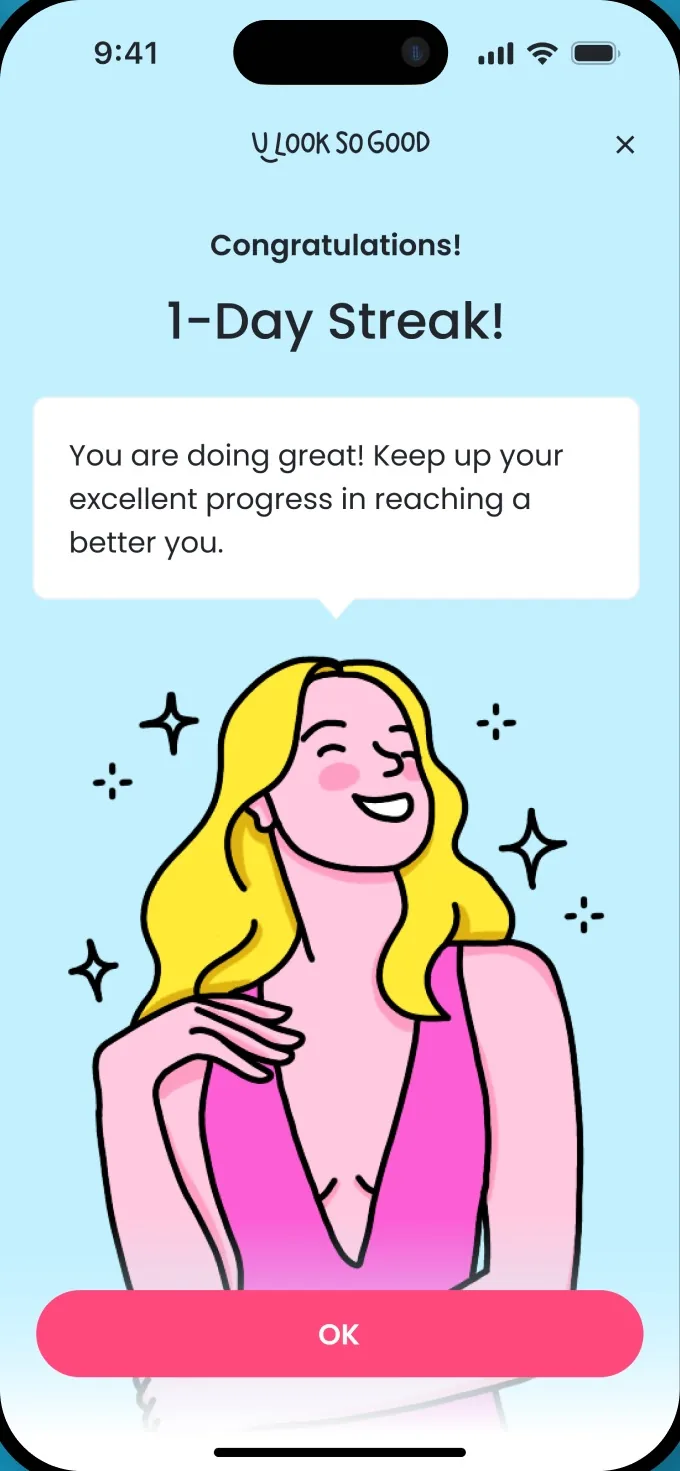
Smooth transitions between tabs and celebratory visuals when a prompt is published.
Read the case studyThe work
The feedback, motion and states that make a product feel responsive and trustworthy.
The problem
If 2 or more of these ring true, the gaps are in how the product responds, not in the screens.
Tick the ones that sound like you
Selected work
Client case studiesScreens on Dribbble and Behance
# Artisse / iOS
Case studyMotion
Smooth transitions between tabs and celebratory visuals when a prompt is published.
Read the case study# Replicate Labs / Call feedback
Case studyFeedback
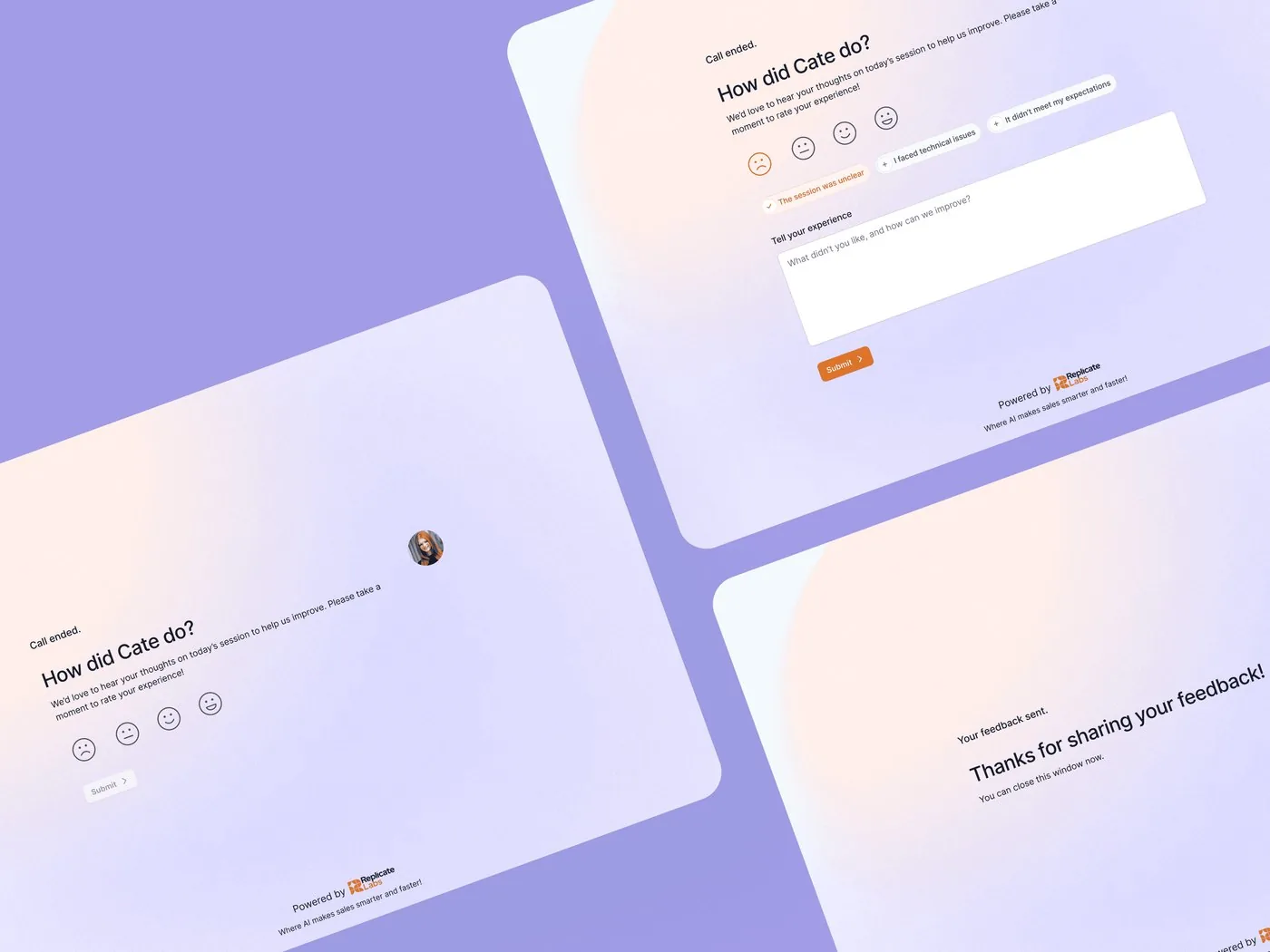
Feedback screens that ask “How did Cate do?” with a rating and a comment box, then thank people for sharing.
Read the case study# Replicate Labs / Calls
ScreensStates
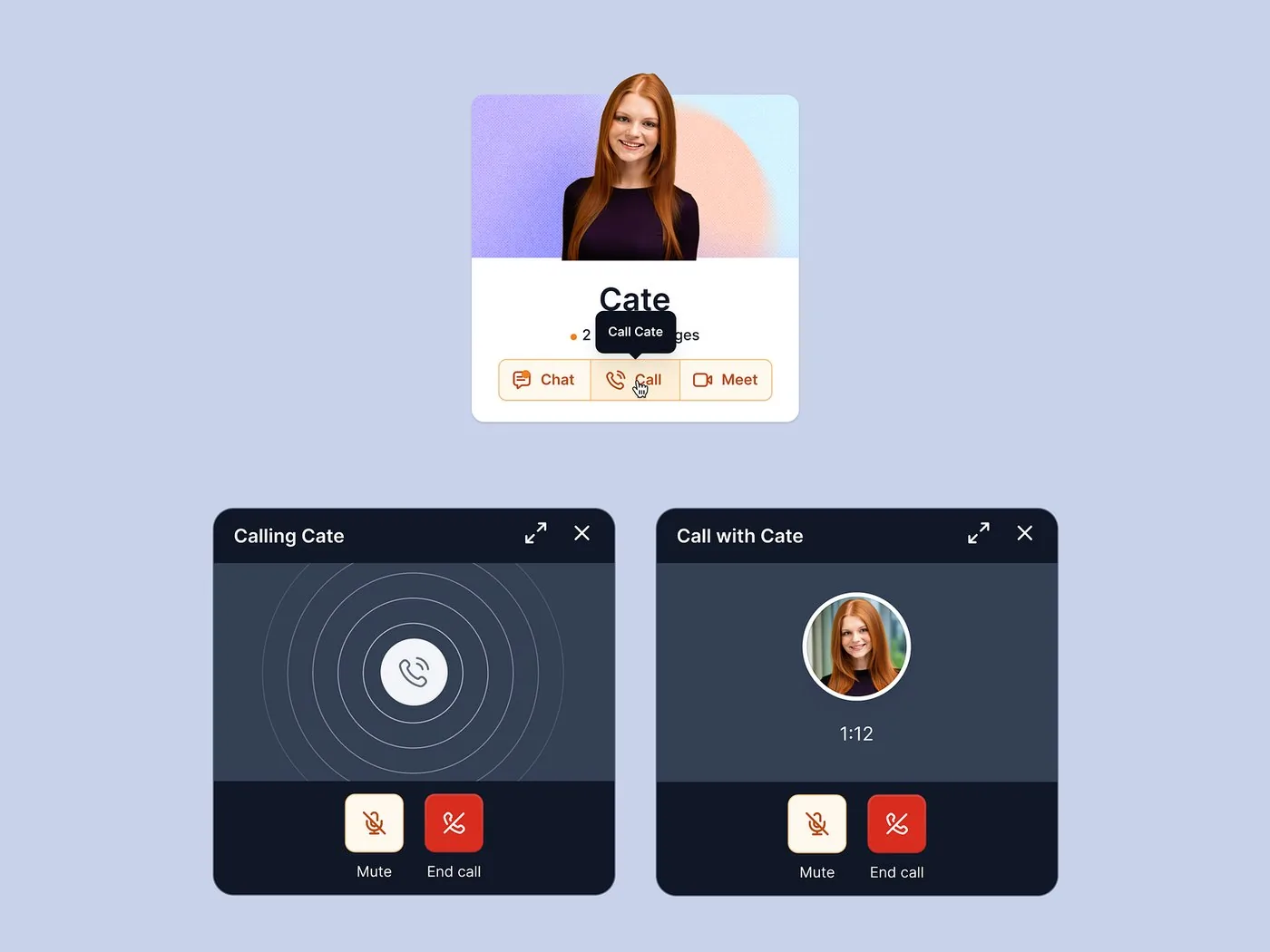
Call screens from ringing to connected, with mute and end-call controls always in reach.
View on Dribbble# Teacherspace / Lesson comments
ScreensWeb app
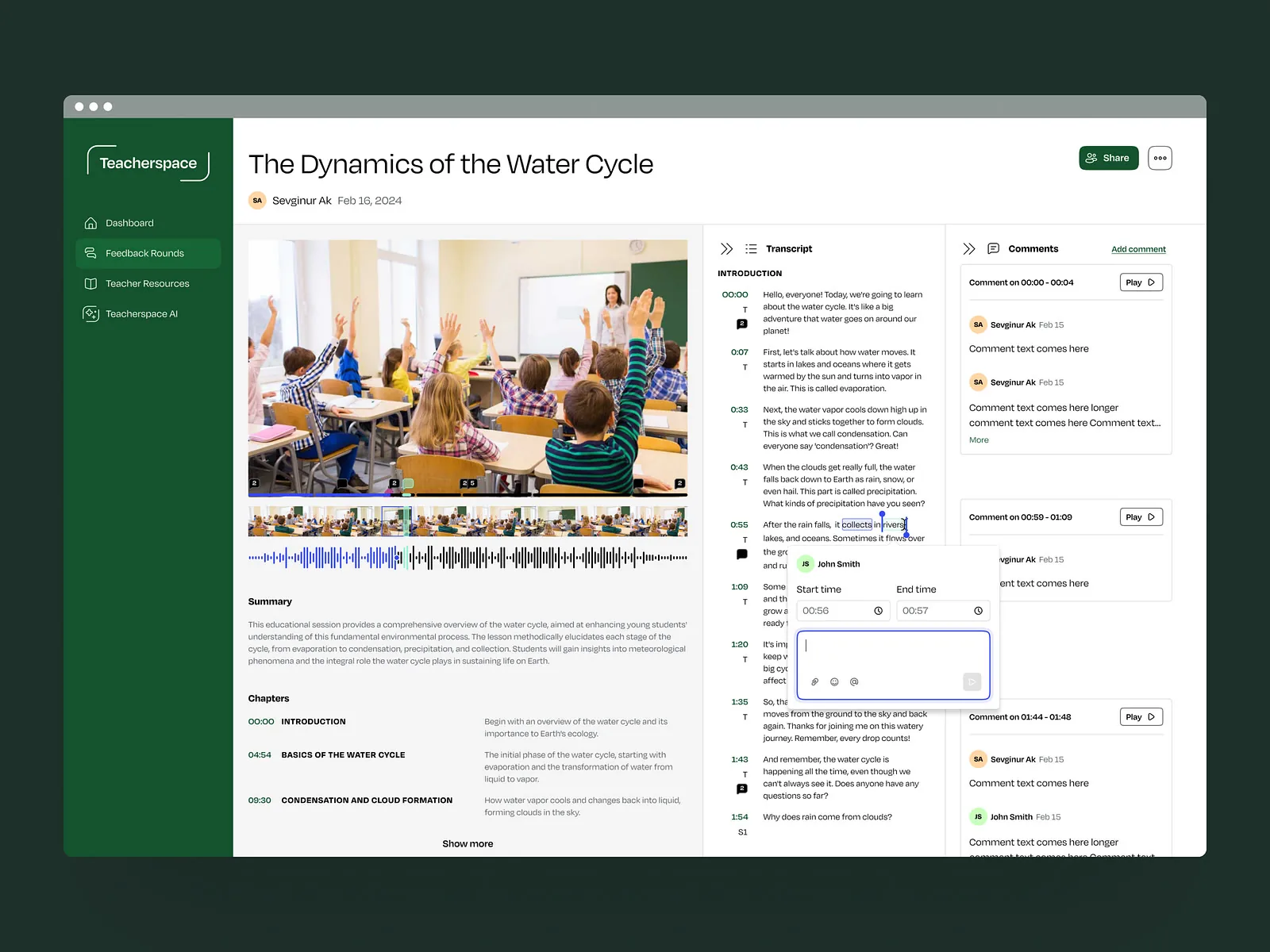
Select a line in the transcript to leave a time-stamped comment, right where it happened.
View on DribbbleProof
“Studio Scale transforms loose ideas into user-friendly, joyful designs that delight customers and engineers.”
Ways to start
Define how a new product responds, or fix how an existing one feels.
# New product
States, feedback and motion defined before developers start building.
# Existing product
Find the moments where the product feels unresponsive, then redesign them.
No. We design and prototype them, and hand over specs for timing and easing so your developers can build them.
It depends on the scope. Once we’ve seen the full picture, we’ll share a rough timeline.
Yes. We build interactive prototypes so you can feel the timing and feedback before anything is built.
Yes. We review how it responds today and fix the moments that feel broken first.
Yes: visible focus states, clear feedback for every action and motion that respects reduced-motion settings.
2 client slots open
A rough idea is a fine place to start. We’ll get back to you within 24 hours.