From scattered screens to one system

A design system your team actually uses.

Whether you’re starting from scratch or untangling years of one-off screens, we build the components, tokens and documentation that keep design and code in sync.

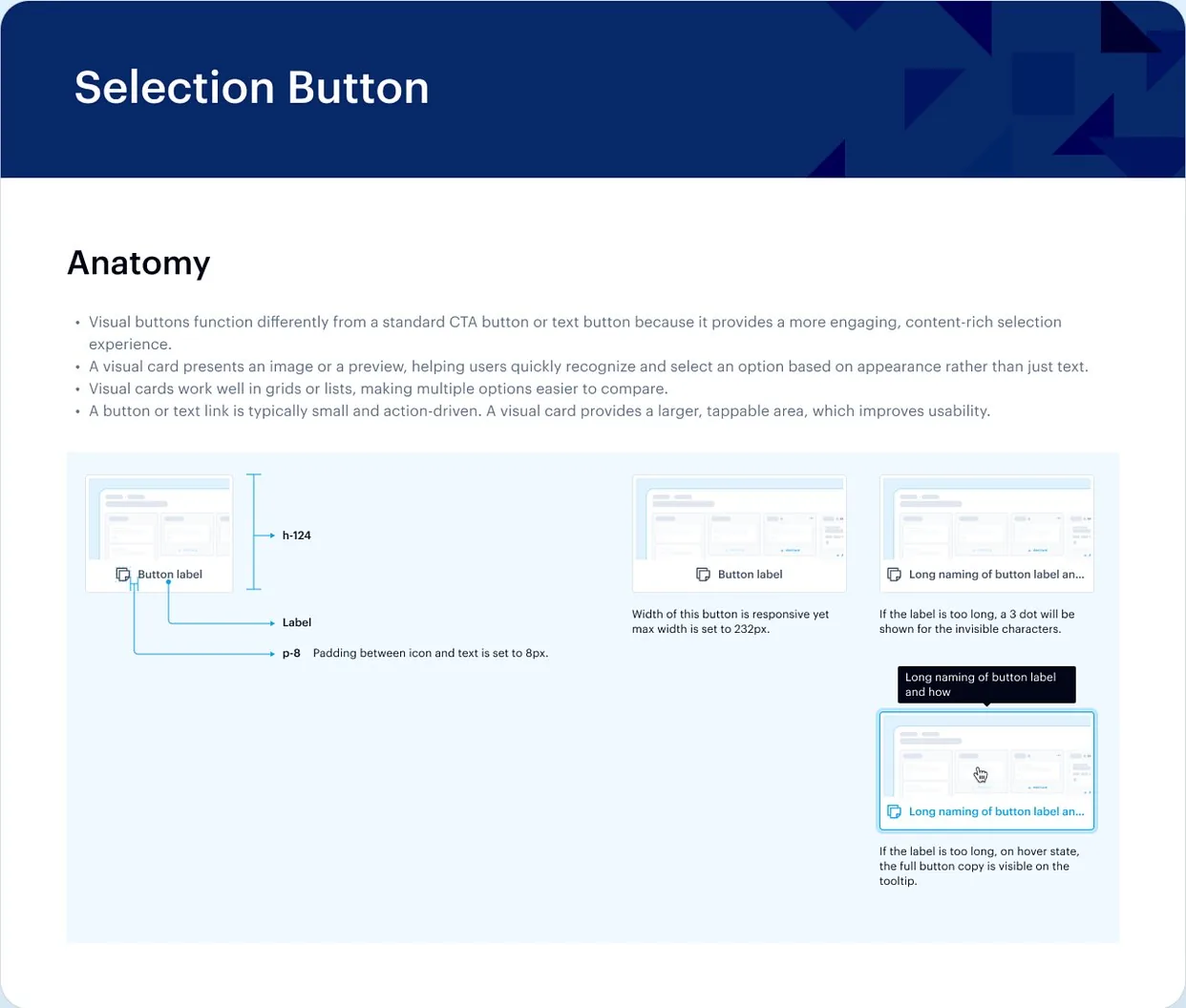
Ticketsolve design system documentation for a selection button

button / variants

radius.button =
PrimarySecondaryGhost

state: defaulthoverpresseddisableddefault

The work

The moments we design

Everything your team needs to design and build new screens without starting over.

Book a call

AI-ready

A system your AI tools can use too.

More teams now build with AI coding assistants. We set up your tokens, names and docs so AI-generated screens follow your system instead of guessing.

Tokens and docs AI tools can read

Variables, consistent naming and written usage rules, so AI coding assistants generate UI that follows your system.

  • Tokens set up as Figma variables, named the way your code names them
  • Component names, variants and properties that match the codebase
  • Usage rules for each component: when to use it, and when not to
  • Documentation written in a structure AI coding assistants can read

The problem

Sounds familiar?

If 2 or more of these ring true, you don’t need more screens. You need a shared system.

Tick the ones that sound like you

Selected work

Selected system work

# Ticketsolve / Design system
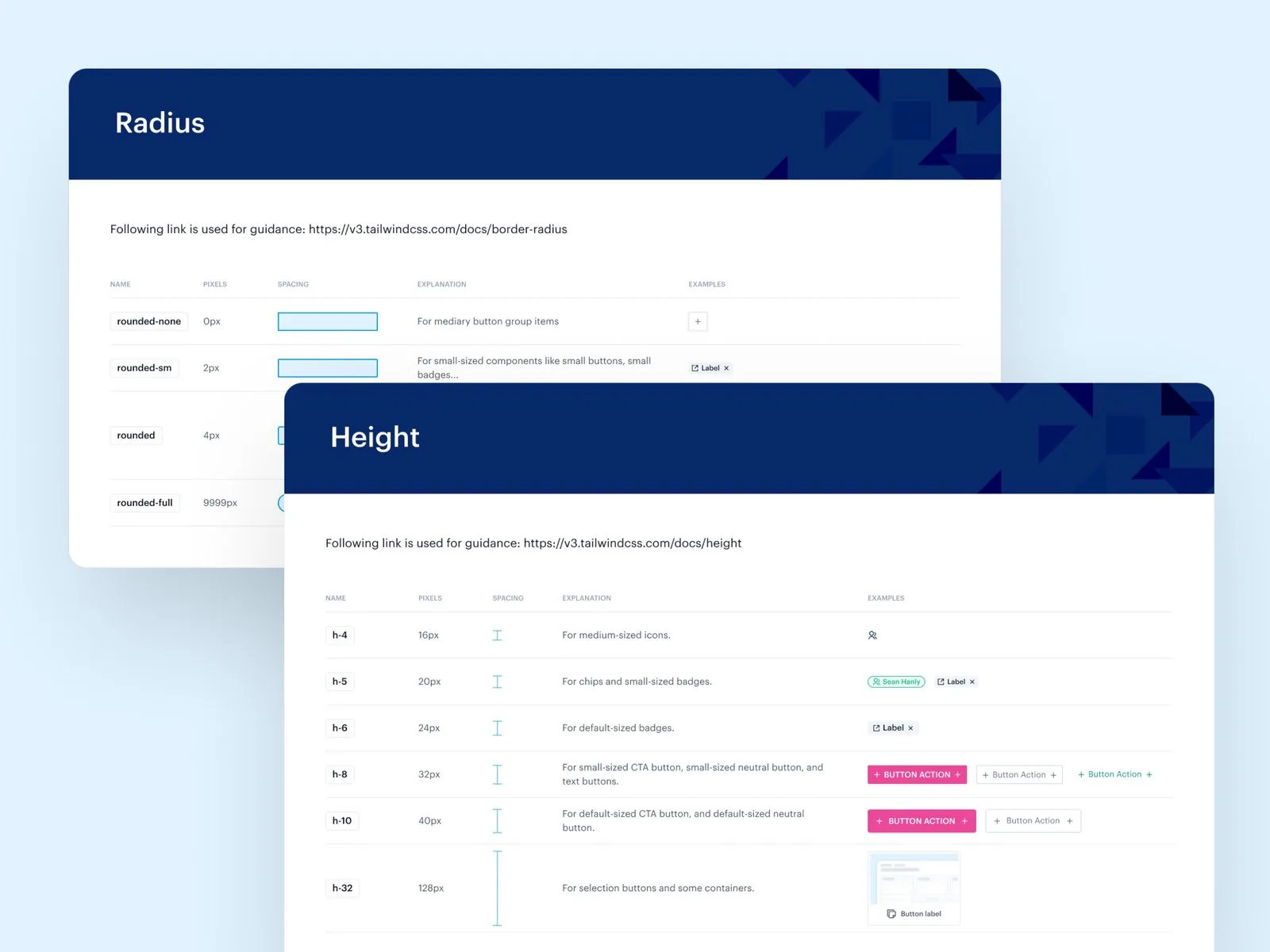
Ticketsolve design system documentation for radius and height tokens

Case studyDesign system · 2023

Building a Scalable Design System for Ticketsolve

Ticketsolve is a ticketing and CRM platform used by theatres, festivals and arts organizations. Its components had grown ad hoc, so we audited them in Figma, removed duplicates and rebuilt them with clear structure and naming.

  • Redesigned Figma components for consistency
  • Rules for spacing, typography, colour and states
  • Components that adapt across breakpoints
  • Guidelines for design and development handoff
Read the case study

Proof

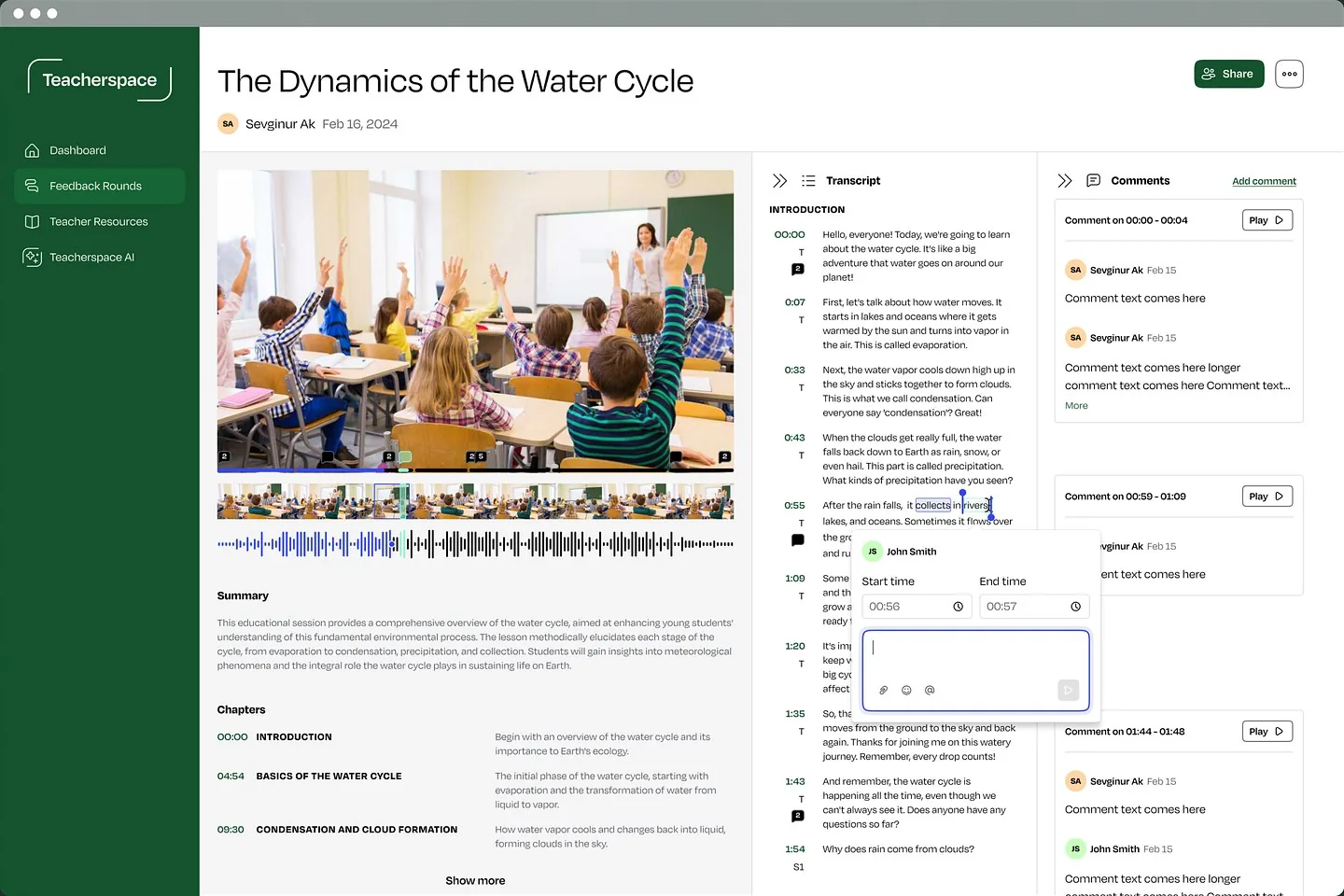
“Sevgi and her team have been our go-to partner for design and UX. She asks strong questions, communicates fast, works smoothly in Slack and Linear, and delivers high-quality Figma designs that fit our design system.”

Jesper Bergmann · Founder & CEO, Teacherspace
Upwork Job Success
100%
Regular clients
10+
Recognized by
Dribbble Select

Ways to start

2 ways to start

Start a system from scratch, or clean up the one you have.

  • # New system

    Build your design system

    From scattered screens to a documented library your team can build with.

    • Audit of your current UI
    • Tokens and core components
    • Usage documentation
    • Dev-ready handoff in Figma
  • # Existing system

    Clean up what you have

    Find the duplicates and gaps, then consolidate what’s already there.

    • Component and pattern audit
    • Prioritized clean-up plan
    • Consolidated components
    • Updated documentation

FAQ

Questions founders ask

Book a call See all questions

No. We’re a design studio. We build the Figma library and documentation, and work with your developers so names and behaviour match the code.

It depends on the scope. Once we’ve seen the full picture, we’ll share a rough timeline.

Yes. We can extend and tidy an existing library instead of starting over.

Not always. For an early product, a few tokens and core components are often enough. We’ll tell you what’s worth building now.

Yes. Documentation and contribution rules are part of the work, so your team can keep adding to the system.

Related capabilities

Explore all capabilities

UX and UI design

Content, features and navigation organized around how users think.

Interaction design

Hover, press and transition states that show people what just happened.

Responsive design

Layouts and rules that keep every screen clear, from desktop to phone.

Complete states

Empty, loading, error and success states, designed before they ship.

2 client slots open

Show us the button that exists in 5 versions.

A rough idea is a fine place to start. We’ll get back to you within 24 hours.